

accessing your giving statements through ALCF’s Church community builders (CCB)
To access your 2025 giving statements, please click the link below.
IF YOU ALREADY HAVE A CCB ACCOUNT…
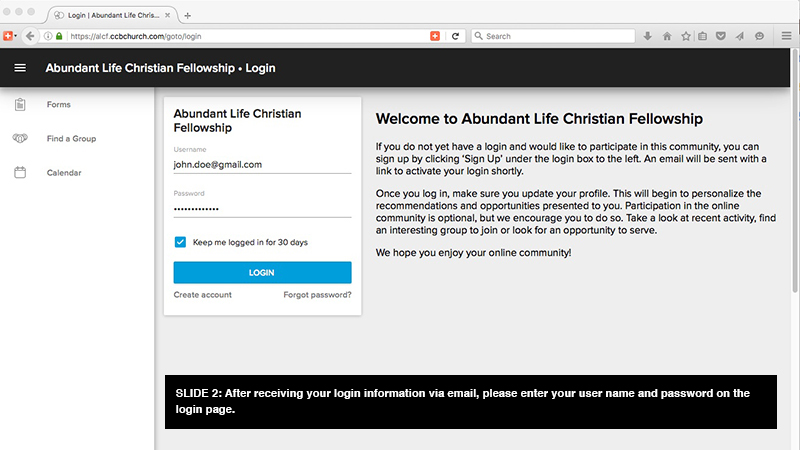
Log in to your CCB account
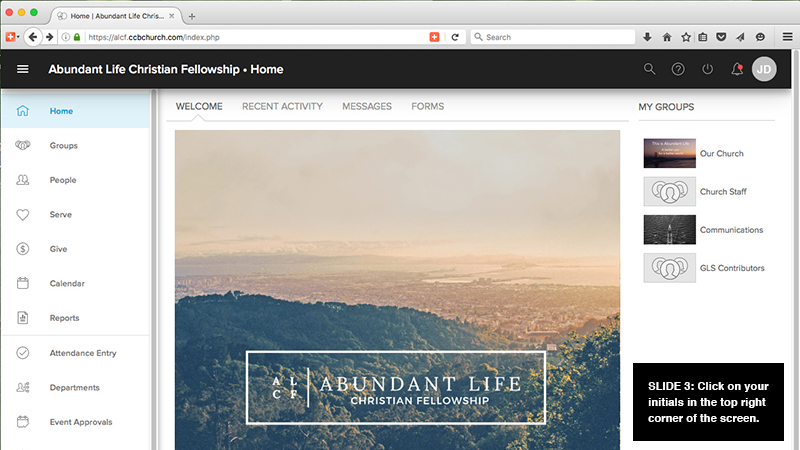
Click on your initials in the top right corner
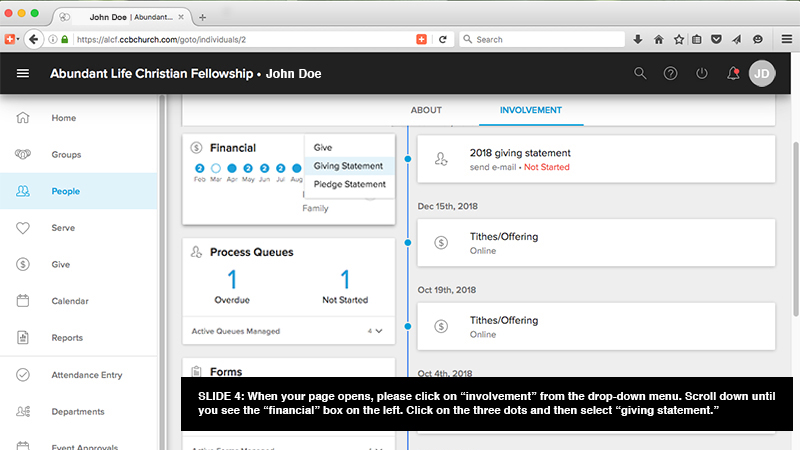
Click on “involvement”
Locate the “Financial” box in the left column
Select the breadcrumbs (three dots) and click “giving statement”
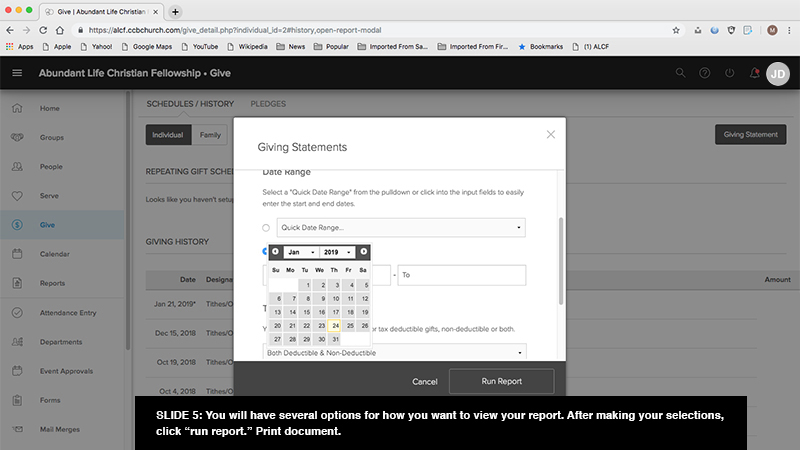
Customize your giving statement and select “Run Report”
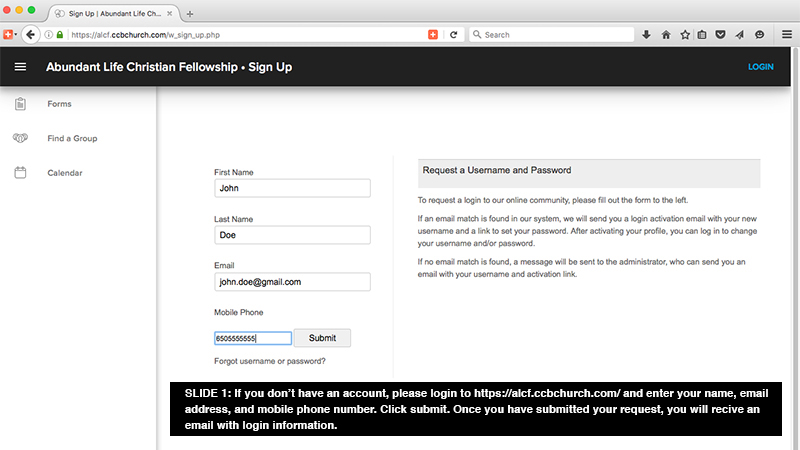
SIGNING UP FOR A CCB ACCOUNT
Click through the five slides below for step-by-step instructions…
If you need further assistance, please email giving@alcf.net or call 650.625.1500, x122 from Tuesday through Friday during business hours.